
With Valentine’s Day right around the corner, we thought it would be fun to share these free basic heart-shaped SVG files you can use with your Cricut, Silhouette, Laser cutter, CNC router, or other cutting machines. We’ve also included the PNG + JPG files if you prefer those.
No cutting machine? No problem! You can also download the printable PDF to use these as templates to cut out by hand or even trace them onto a piece of wood to cut with your scroll saw.
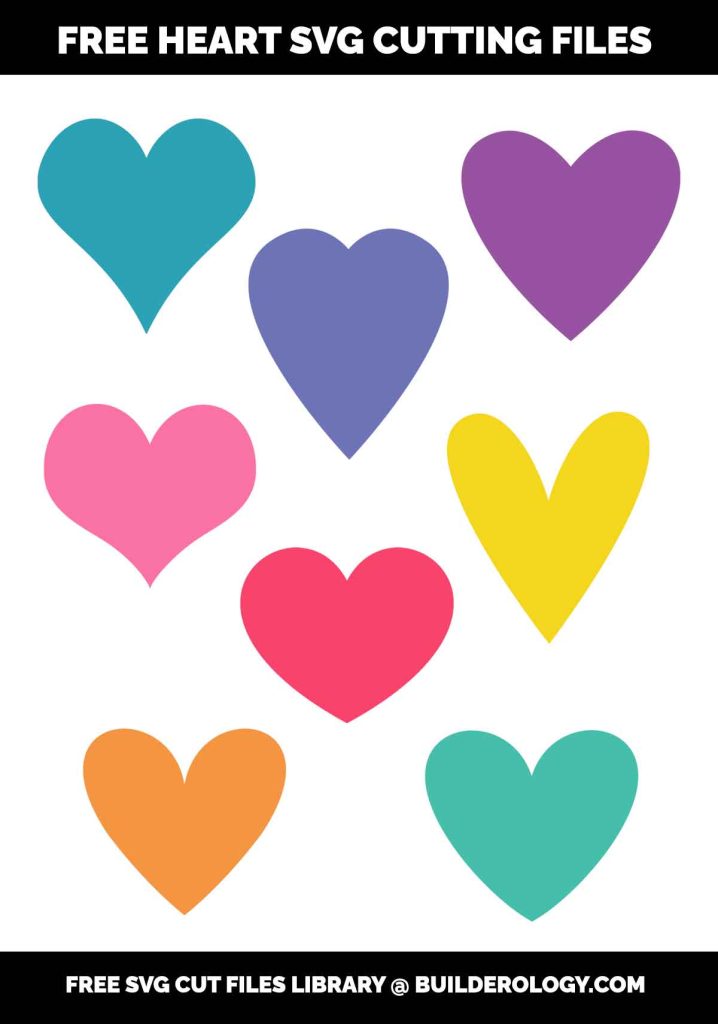
Please note the preview above is NOT the download file – be sure to use the download link at the bottom of this page to download your free SVG cut files for the heart shapes!
While some of these hearts may look very similar to one another, they are each a bit unique and different, making them perfect for all kinds of projects. There are TONS of different ways you can use hearts to make things beyond just Valentine’s Day – you could use them for flower petals for example.
All of our SVG files are easy to customize and resize for any size you like. If you want to cut out an 8-inch heart or a whole sheet of 2-inch hearts you can easily do that with the SVG format. You could even add text to these to create your own conversation hearts or Valentines.
There are tons of different ways you could customize these as well – for example, you could arrange the shapes together in different patterns or you could even use them to make frames if you wanted.
All of our free SVG files are 100% free for any kind of use you like because we believe in full creative freedom. Commercial Use, Personal Use, Educational Use – Have at it! If you find these helpful, please share a link to this page or our FREE SVG library to help others find these free resources as well!
Download the Hearts SVG Cutting Files, PNG, JPG, and Printable PDF
To download the files, simply click on the download link in the box below.
What is in the download (measured from the files)
The zip holds eight heart SVGs (heart1 to heart8), the same eight as PNG and JPG, and a printable PDF. We opened every SVG and measured it, because the shapes look alike in the preview but cut quite differently. The table gives each heart’s proportions and how long the blade travels around it.
| File | Shape | Artboard (px) | Height when 4 in wide | Cut length at 4 in wide |
|---|---|---|---|---|
| heart1 | wide, with a deep centre dip | 572 x 503 | 3.48 in | 12.3 in |
| heart2 | tall and narrow | 353 x 398 | 4.61 in | 13.6 in |
| heart3 | wide and shallow | 409 x 352 | 3.29 in | 11.9 in |
| heart4 | classic, slightly wide | 432 x 432 | 3.68 in | 13.2 in |
| heart5 | tall, with a long point | 372 x 415 | 4.58 in | 15.6 in |
| heart6 | classic rounded | 432 x 432 | 3.59 in | 12.7 in |
| heart7 | almost square, soft lobes | 432 x 432 | 3.94 in | 12.9 in |
| heart8 | full, near-square | 432 x 432 | 3.85 in | 14.2 in |
The artboard sizes are in Illustrator pixels, which are 1/72 inch, so heart4 to heart8 are drawn 6 by 6 inches. Inkscape assumes 96 pixels per inch and opens the same file at three quarters of that size. Whatever program you use, set the width you want after importing rather than trusting the size it opens at.
Important: these hearts are outlines, not solid shapes
Each heart is drawn as a thin black outline, about 1.5 to 2.6 pixels wide (0.02 to 0.04 inch at the original size). That looks right on screen and prints well as a tracing template, but a cutting machine sees two edges, the inside and the outside of the line, and will cut both. The result is a hairline ring that falls apart when you weed it. Before cutting a solid heart, remove the inner edge:
- Cricut Design Space: select the heart, click Contour, click the inner line to hide it, and close. The heart turns solid.
- Silhouette Studio: right-click the heart, choose Release Compound Path, then select the inner shape and delete it.
- Inkscape: Path > Break Apart, delete the inner shape, then set a fill colour on what is left.
- Laser cutter: send only the outer path as a cut line; if you want an engraved outline as well, offset the inner path inward by a few millimetres first.
heart8 has one extra element, a white fill inside the outline. Delete it in the same step; it would otherwise cut as a third shape.
Worked example: a sheet of 2 inch hearts
Say you want 2 inch hearts for Valentine cards from one 12 by 12 inch sheet of cardstock. Using heart1, a 2 inch wide heart is 1.74 inch tall and the blade travels 6.2 inches around it. Leave a quarter inch margin round the sheet and a quarter inch between hearts, so the usable area is 11.5 inches each way. Across: 5 hearts take 5 x 2 + 4 x 0.25 = 11 inches, and a sixth would not fit. Down: 5 hearts take 5 x 1.74 + 4 x 0.25 = 9.69 inches. That is 25 hearts per sheet, about 154 inches of cutting. Taller hearts such as heart2 and heart5 fit fewer rows, so check the height column before you buy card.
Starting points by material
- Adhesive vinyl (mugs, signs): use the machine’s vinyl preset. Hearts weed easily because there are no small inside pieces once the inner outline is removed.
- Heat-transfer vinyl (shirts): mirror the design before cutting and put the shiny carrier side down on the mat. Forgetting to mirror is the most common HTV mistake; with a symmetrical heart you get away with it, but not once you add text.
- Cardstock: heavier card (65 lb and up) needs the deeper cardstock setting; tearing at the point of the heart usually means a dull blade.
- 3 mm plywood on a laser: run a small test heart first. The kerf (the width the beam removes) is a fraction of a millimetre, so hearts that slot together need that allowance.
- Scroll saw: print the PDF, glue it to the board with a removable spray adhesive, and cut just outside the line. The sharp point at the bottom is easier if you cut into it from both sides rather than turning the board.
Machine settings change with the blade, the mat and the brand of material, so treat any setting as a starting point and do a small test cut first.
What will you create with these? We’d love to see what you are making! Share your projects in the comments section below!
Want initials to go with these? Our free monogram maker builds circle, split and script monograms from open-licensed fonts and downloads them as cut-ready SVG.